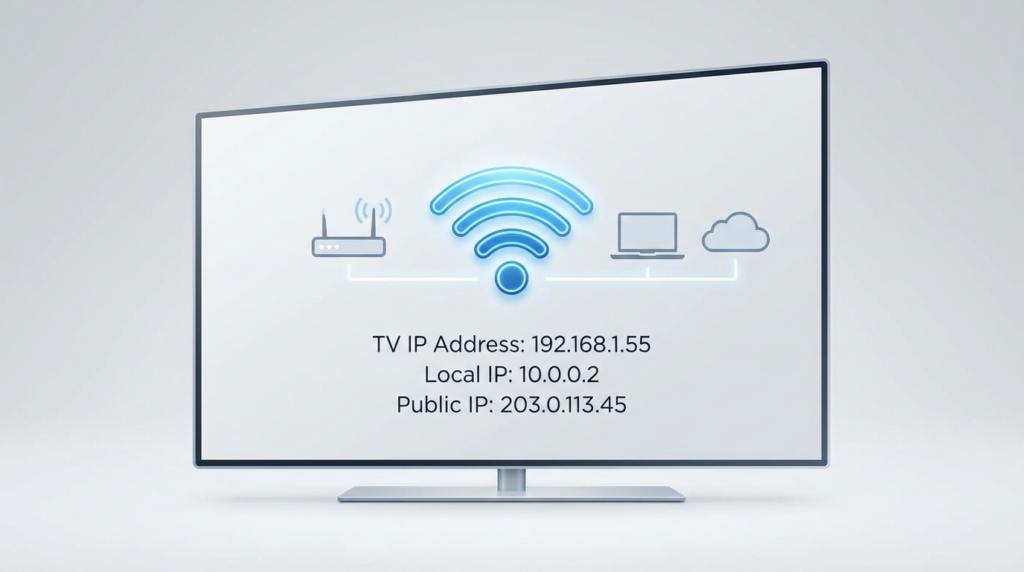
A TV IP address is a unique identifier assigned to your television when it connects to your home network. Knowing what is a TV IP address helps users understand how their smart TV communicates with other devices and the internet, enabling streaming, software updates, and remote control functions.
An IP address (Internet Protocol address) is a set of numbers that identifies devices on a network. TVs use local or private IP addresses assigned by your router, which differ from your public IP address visible on the internet. A simple comparison helps clarify: local IP addresses operate within your home network for device communication, while public IP addresses are assigned by your internet service provider and represent your entire home network online.
TV IP addresses serve several practical purposes. They allow seamless streaming from IPTV services, control apps, and firmware updates. If you use an IPTV subscription, your TV’s IP address is crucial for authenticating your device on the IPTV server, ensuring you access premium live channels, movies, and series as part of a smooth digital experience.
Finding your TV’s IP address differs by platform. On Samsung TVs, navigate to Settings > Network > Network Status > IP Settings. For LG TVs, access Settings > All Settings > Network > Wi-Fi Connection or Wired Connection. Roku users find this by Settings > Network > About. Android or Google TV owners can check under Settings > Network & Internet. Fire TV users go to Settings > My Fire TV > About > Network. Apple TV’s IP address is visible in Settings > Network. These pathways help users quickly identify their TV’s network identity for troubleshooting or setup.
It’s also helpful to distinguish between a TV’s IP address and its MAC (Media Access Control) address. The IP address is dynamic and can change, while the MAC address is a fixed hardware identifier unique to your TV. Knowing both can assist in advanced network setup or troubleshooting device recognition issues.
A TV’s IP address is usually a private address assigned dynamically but can also be static if reserved in your router’s settings. This differs from your public IP address, which represents your network on the internet. Understanding this distinction is key when setting up remote access or troubleshooting streaming problems.
Occasionally, users may wonder if they should change their TV’s IP address. Generally, this is unnecessary unless you face connectivity issues such as IP conflicts—a situation where two devices have the same IP address—or need a static IP for specific network configurations. Careful network management can prevent these problems.
Common problems involving TV IP addresses include failure to obtain an address, IP conflicts, or disconnected networks. Troubleshooting steps typically involve restarting the TV and router, checking for firmware updates, or manually assigning a static IP via your router’s DHCP reservation feature.
Privacy concerns around TV IP addresses usually focus on tracking and security. Unlike the MAC address, which manufacturers or your network recognize at a hardware level, the IP address changes often and is less personal. However, protecting your home network with a secure router password and updated software helps prevent unauthorized access.
IPTV, or Internet Protocol television, is a method of streaming live TV and video-on-demand content over the internet. It relies heavily on your TV’s IP address to identify and authorize your device on the service. For a deeper understanding of IPTV technology, the Wikipedia page on Internet Protocol television offers comprehensive insights. Services like IPTV, when used correctly and legally, offer an expanded viewing experience, but it’s important to distinguish legal streaming from unauthorized sources. Additional details about IPTV use and legality can be found in resources like the article on IPTV Illegal USA Legal Insights.
Users exploring IPTV may benefit from guides like the one on how to use IPTV effectively, allowing them to understand technical requirements and optimize streaming quality for smart TVs in their homes. Moreover, for market trends and smart TV insights, sources like CNBC Digital Media IPTV and Smart TV Insights provide valuable context.
To explore IPTV providers and make informed choices on plans and pricing, consider visiting sections like IPTV Pricing and practical guides on what is TV IP address IPTV for detailed explanations.
In summary, understanding what a TV IP address is and how it functions is essential for smart TV users aiming to optimize their streaming and network setup. Recognizing the difference between IP addresses (local and public), MAC addresses, and IPTV service technology helps resolve connectivity problems and enhances privacy awareness. Typically, your TV’s IP address works silently behind the scenes to maintain smooth access to your favorite content.
For anyone looking to upgrade their streaming experience, having reliable access to live channels and vast libraries through IPTV is a natural next step. Checking out a reputable service can significantly improve how you watch television. For tailored IPTV subscriptions suited to your needs, visit Best IPTV Provider to start exploring options that fit your smart TV setup and viewing preferences.