IPTV, or Internet Protocol Television, is revolutionizing how viewers in the USA consume live TV and on-demand content by delivering broadcasts via the internet rather than traditional cable or satellite methods. This guide will walk you through how to use IPTV effectively, including setup, device-specific tips, troubleshooting, and legal considerations.
Before getting started with IPTV, ensure you have a stable internet connection, as streaming quality heavily depends on bandwidth stability. An internet speed of at least 20 Mbps is recommended for smooth HD streams. Compatible devices include Smart TVs, Firestick/Fire TV, Roku, Android TV, mobile phones, tablets, and computers. Each device may require an IPTV player app, such as IPTV Smarters or similar options, which serve as interfaces to stream channel lists and on-demand content. You will also need login credentials from a reliable IPTV provider, often in the form of an M3U URL or Xtream Codes, which are standardized ways to authenticate and access channel streams.
To set up IPTV, start by choosing a legal and reliable provider, which you can verify by reviewing provider reputations and ensuring their services comply with U.S. regulations. After selecting a provider, install the IPTV player app suggested by them or compatible with your device. The two main methods to log in are by entering the M3U URL—a playlist format containing streaming links—or Xtream Codes, which are a trio of username, password, and server URL offering a more dynamic experience.
Once logged in, load the channel list and Electronic Program Guide (EPG), the latter providing channel schedules and programming information. Testing playback is crucial; open several channels to check stream quality and buffering. Adjust settings like video resolution or buffer size as needed for optimal performance.
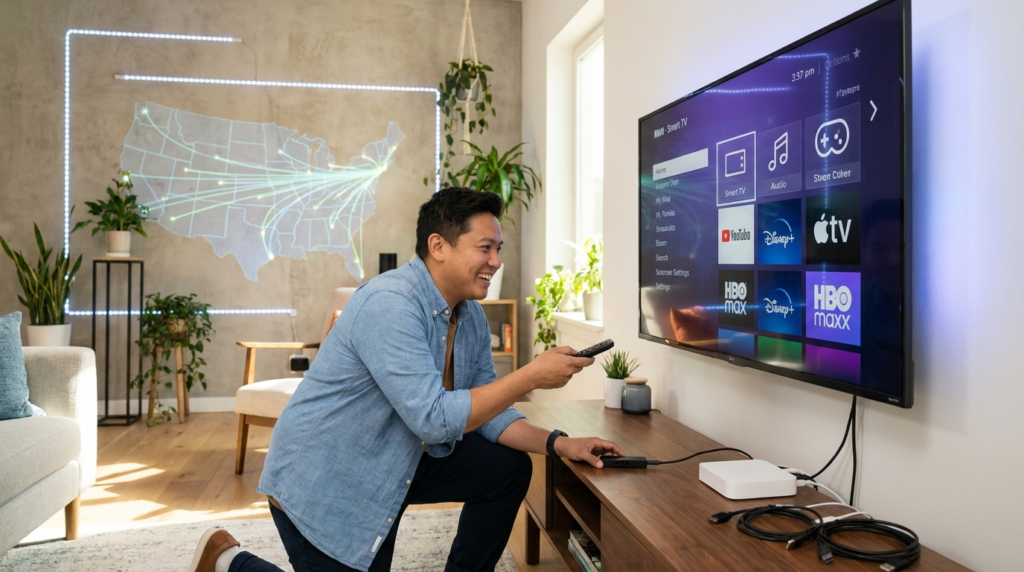
Using IPTV across different devices varies slightly. For Smart TVs, especially models running on Android TV, you can download IPTV apps directly from the app store. Firestick and Fire TV users will typically sideload independent IPTV apps, such as IPTV Smarters, by downloading APK files or using apps available in the Amazon Appstore. Roku devices require more indirect methods like screen mirroring or private channel additions, as Roku does not support IPTV apps natively. On Android TVs and mobile devices, IPTV apps are generally available via Google Play Store. Computers can access IPTV through compatible software players or even VLC Media Player using M3U playlists.
Common challenges with IPTV include buffering, which often stems from inadequate internet speeds or overloaded servers. Login issues may arise if incorrect M3U URLs or expired Xtream Codes are used, so verifying credentials is key. Some channels might fail to load due to regional restrictions or technical glitches; updating playlists or switching servers can help. EPG problems, such as schedules not appearing, usually result from outdated guide data or mismatched time zones. Plus, device compatibility errors can occur if your device firmware is outdated or the IPTV app is incompatible with your system version.
For better streaming, connect your device via Ethernet instead of Wi-Fi to reduce latency and improve stability. Regularly check your internet speed using online tools during peak hours to understand real-world performance. Match your IPTV video quality settings to your available bandwidth, as streaming in 4K on limited speeds will cause buffering. These practical steps improve the viewing experience substantially.
Exploring IPTV legality is important for U.S. users. IPTV itself is legal, but the legality of specific services depends on whether they have rights to their content. For detailed insights on IPTV legality, the Target Video guide on IPTV legality offers a clear explanation, while Infomir’s article debunks common myths around IPTV rights. To better understand how to optimize your IPTV setup and protect your privacy, Private Internet Access provides useful tips on IPTV use.
For U.S. IPTV users interested in device-specific setup guides, tutorials like the step-by-step IPTV setup guide walk through everything from subscription signup to final streaming on multiple devices. Firestick users can benefit from the detailed instructions on installing IPTV apps on their devices, found on the IPTV Smarters Firestick download page.
Effective IPTV use also means managing your subscription actively. Regularly update your M3U playlists or Xtream Codes when notified by your provider. Verify subscription status in your account portal and contact provider support promptly if you encounter persistent issues. Prioritize providers that offer trial periods, reliable uptime, and good customer service over simply choosing the cheapest option.
Learning how to use IPTV effectively requires addressing device compatibility, proper login methods, and common streaming issues. By following setup steps carefully, testing streams, and optimizing your internet conditions, you can enjoy a seamless and flexible entertainment experience. To dive deeper and find the best service for your needs, consider exploring options from the Best IPTV Provider, helping you unlock access to premium live channels, movies, and series tailored to your preferences.